
Set Up Facebook Page Admin Access – Instructions
1. Navigate to Page Settings
- Log in to Facebook and open the page you want to manage
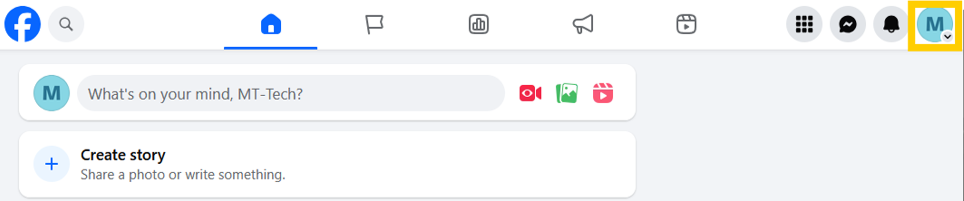
- Click the page icon (profile picture) in the top-right corner
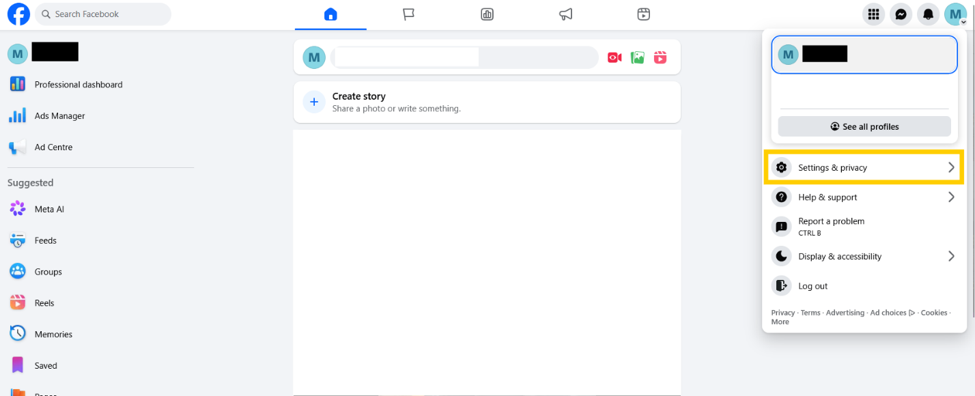
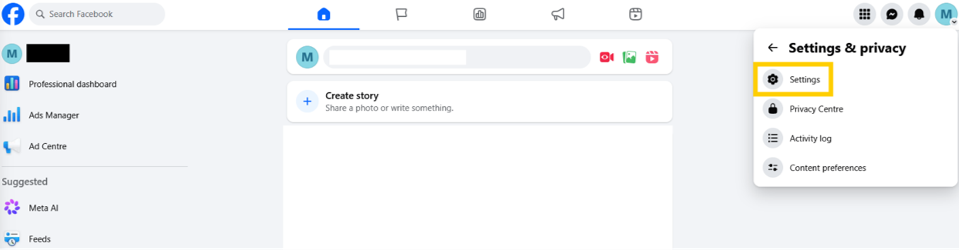
- Select Settings & privacy > Settings
2. Access Page Access Controls
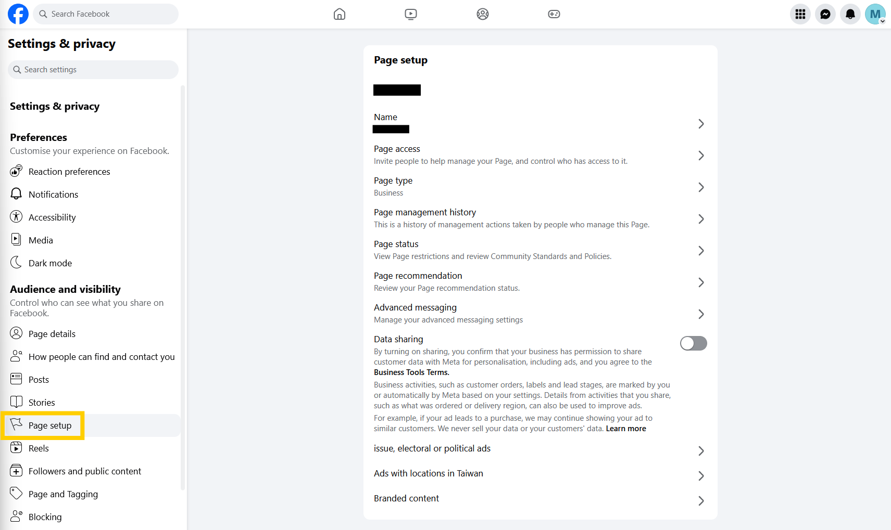
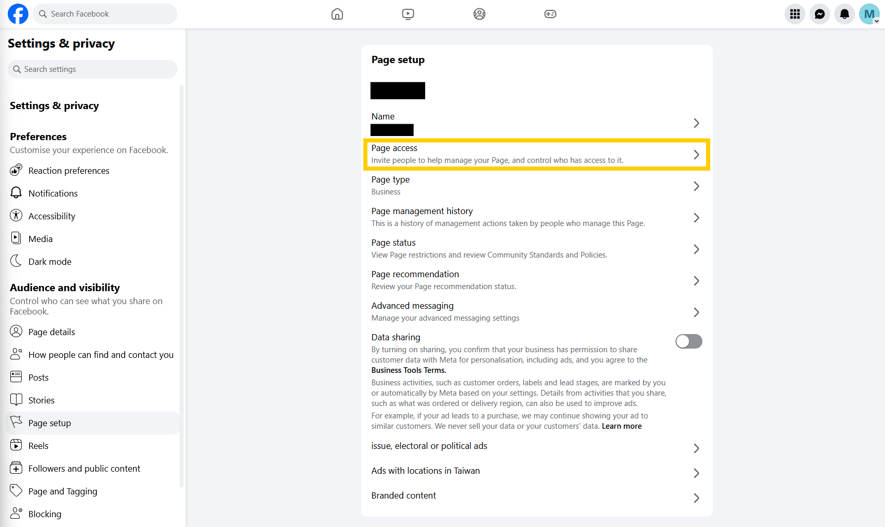
- In the left sidebar menu, click Page Setup
- Click Page Access
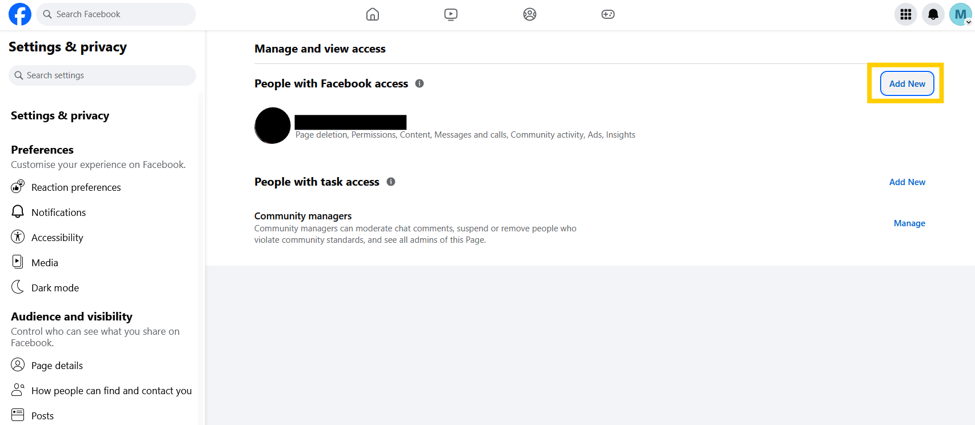
3. Add a New Admin
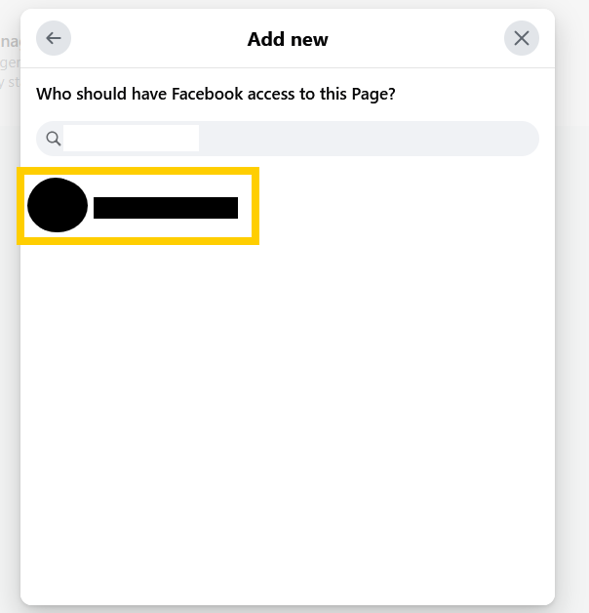
- Under “People with Facebook access,” click the Add New button
- Click Next
Grant Permissions Carefully
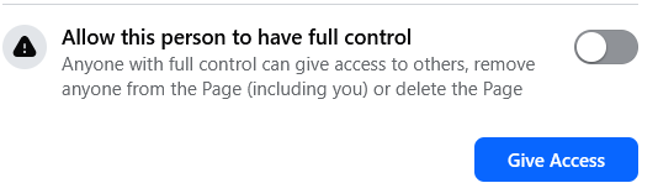
- Do NOT check “Allow this person to have full control” unless:
- You absolutely trust this person
- They explicitly need full administrative authority
Important Security Tips
- Regularly audit who has access (Settings > Page Access)
- Remove admin access immediately if someone leaves your team
- Never share login credentials; use the proper admin invitation process instead